
Thanks for helping set up the PA system for a swim meet! This page contains everything you need to know to set up and operate the system.
Setup
Equipment List + Storage
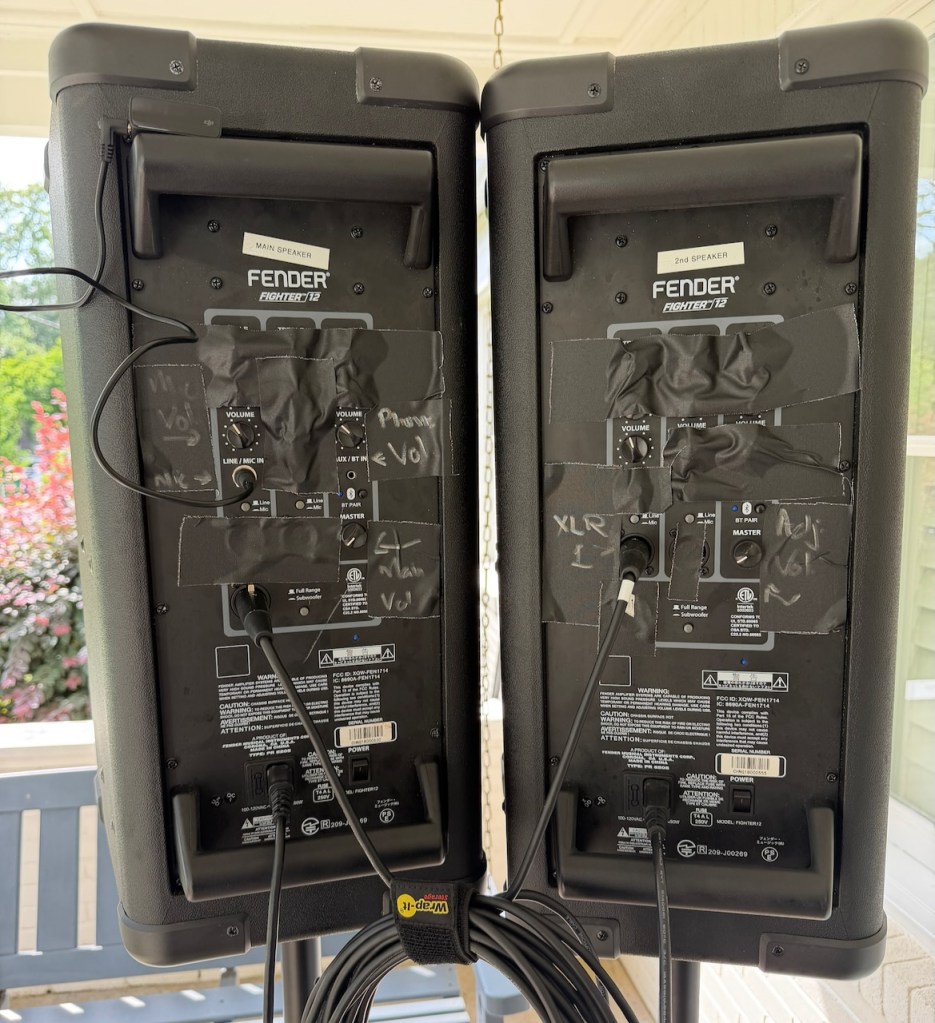
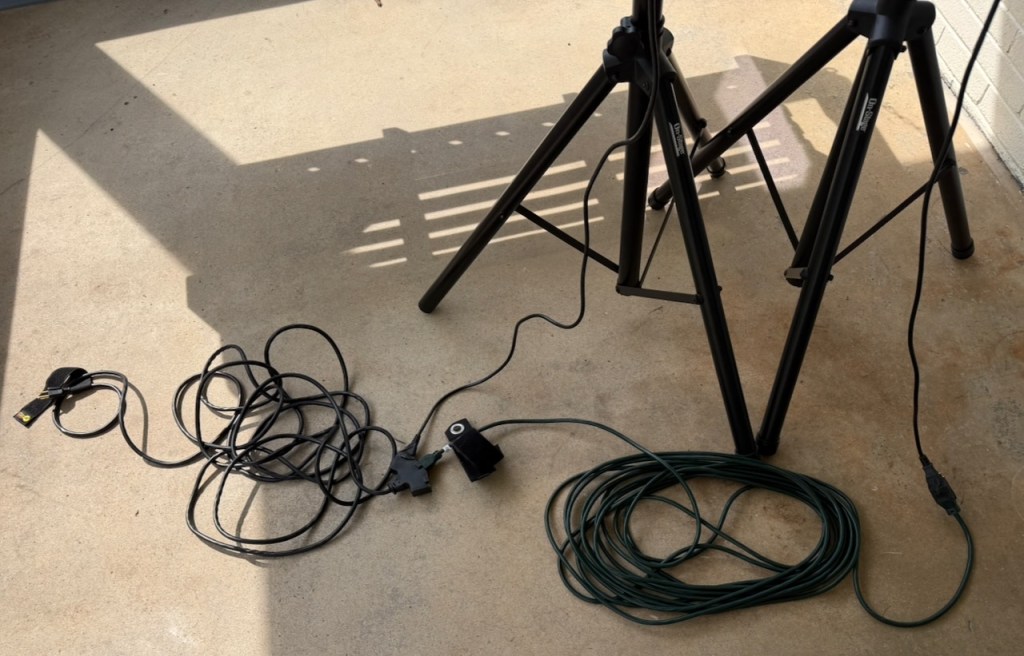
The PA system consists of:
- 2x Fender Fighter 12 speakers, each in padded case
- 2x speaker stands, stored together in a single bag
- 1 x DJI Mic + 3.5mm to 1/4 inch audio cable; this belongs to John Weatherford and should not be stored at the pool / with the PA system
- The following cables are stored in the velcro pouches on the outside of the two speaker bags; it doesn’t matter which cables go in which bag, but please coil them neatly when storing:
- 1x 50 foot XLR (audio) cable; a second 50ft XLR cable is stored separately as backup.
- 1 x 25 foot power cable with triple tap; this runs from an outlet in the guard house to the first speaker. The power cord for the first speaker is taped to this cable
- 1 x 50 foot power cable; this runs from the triple tap on the first power cable to the second speaker. The power cord for the second speaker is taped to this cable
Setting Up
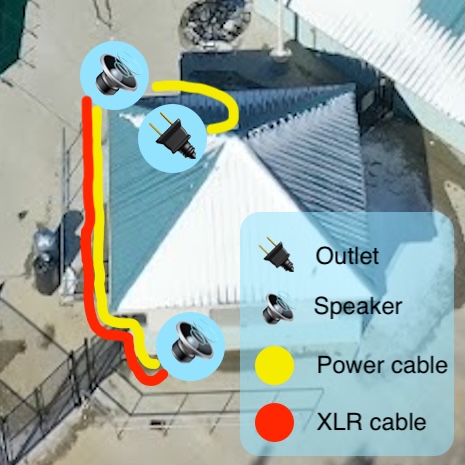
- The 25 foot power cable plugs into an outlet inside the guard shack shown on the above image as 🔌. The guard shack is often a bit cluttered, so try to run the cable clear of items already in the guard shack.
- Set up the two stands for the speakers.
- Spread the legs fairly wide for a steady base; hand-tighten the nut to set the legs in place.
- Raise the center column and insert the pin at the second hole.
- Place the first speaker (labeled “Main Speaker”) on a stand at the first location marked 🔊 on the above image.
- Loop the excess length of the 25 foot power cable behind the speaker stand against the wall of the guard shack, then plug in the speaker power cord to the back of the speaker.
- Plug the 50 foot power cable into the triple tap now located behind the speaker
- Connect the 50 foot XLR cable to the bottom-most XLR port on the back of this speaker
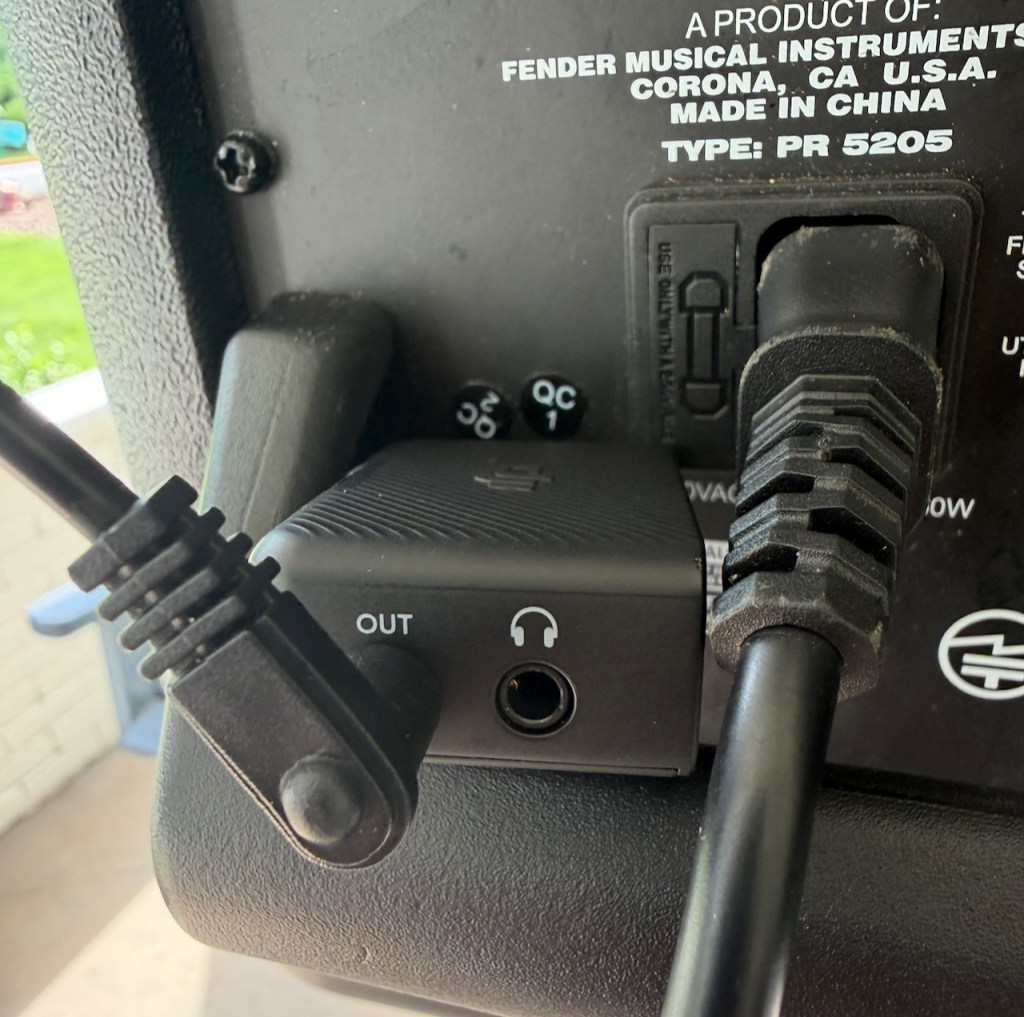
- Take the DJI Mic transmitter (larger middle piece) from its case. Connect the small (3.5mm) end of the audio cable into the port on the transmitter marked “OUT” and the large (1/4 inch) end into the Line / Mic In port on the back of the main speaker.
- Run the 50 foot power cable and 50 foot power cable alongside the guard shack as shown, tucking the cables between the fence and the guard shack. Once the second speaker is placed as shown above, connect the power cable to the power port and the XLR cable to the only available XLR port.
Operation
Speakers
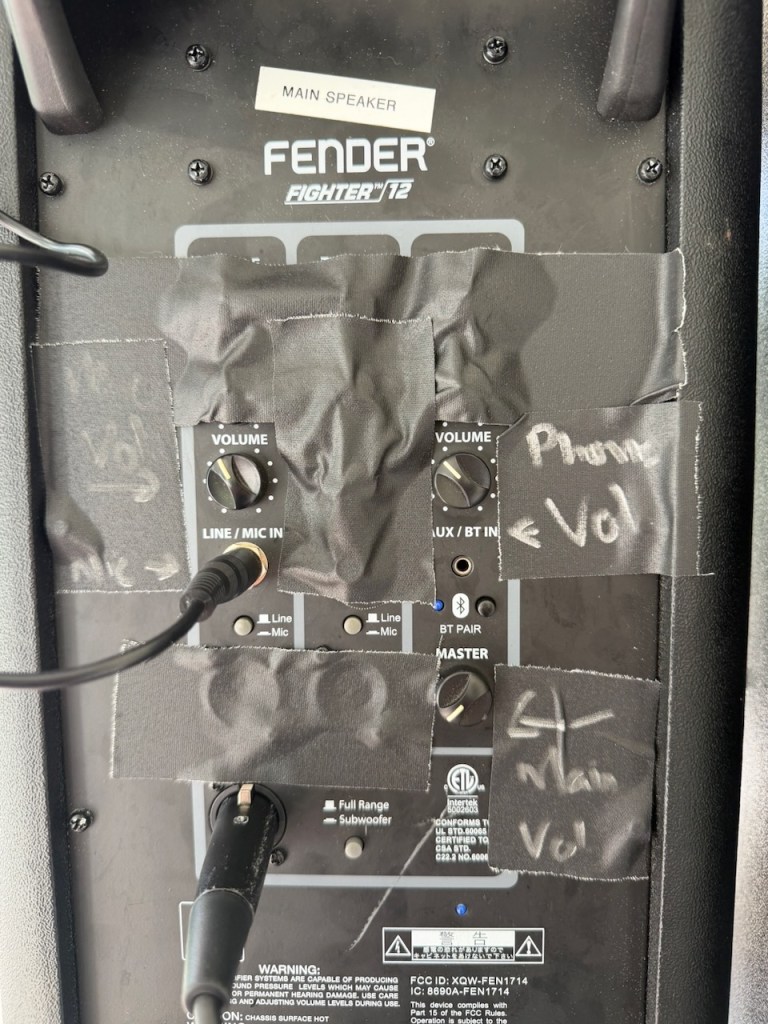
Main Speaker
The back of the main speaker should look like the above image once set up. Additional notes:
- Use the Master volume knob to adjust the overall volume of the speaker. This knob also controls the volume of the signal sent to the second speaker
- The volume knob above the Line / Mic In and above Aux / BT In should be left at ~50%
- To use a phone to play music over Bluetooth, hold down the small back button above the text “BT Pair” on the speaker. The LED should flash blue, and the speaker should appear in the phone’s Bluetooth screen. Once selected, all phone audio (including music) will be played over the speaker. Remain within ~15 feet of the speaker for reliable playback.
Second Speaker
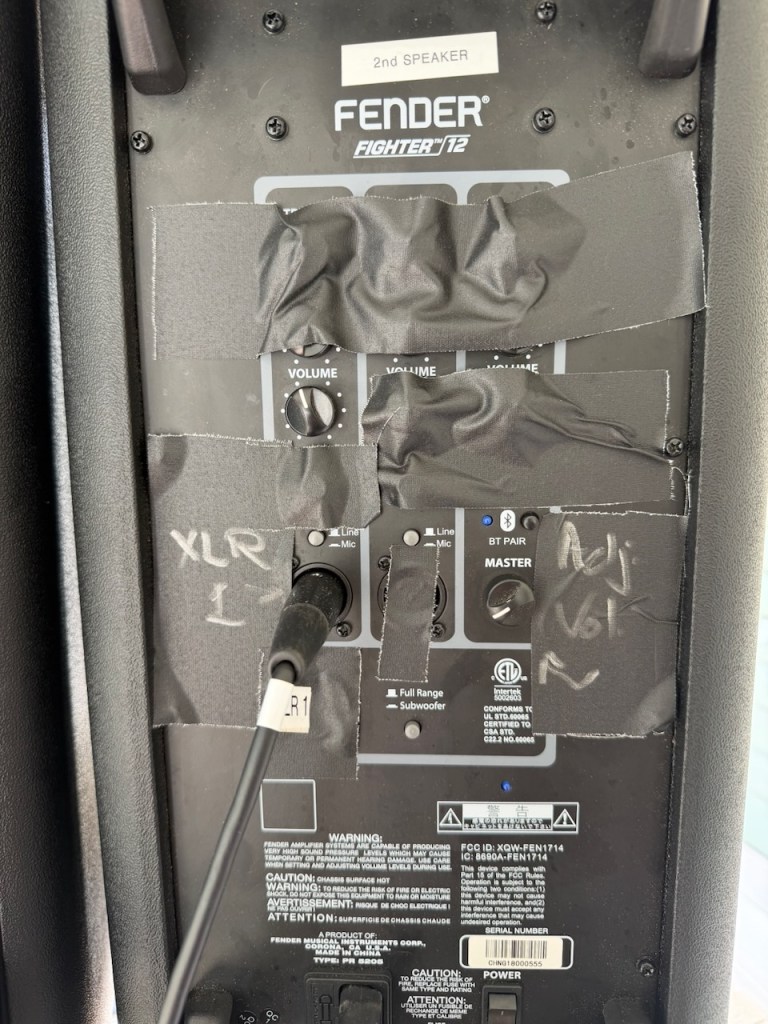
The second speaker should be set up as shown above. Set the volume as desired on the main speaker, then adjust the Master volume knob on the second speaker as needed.
Microphones
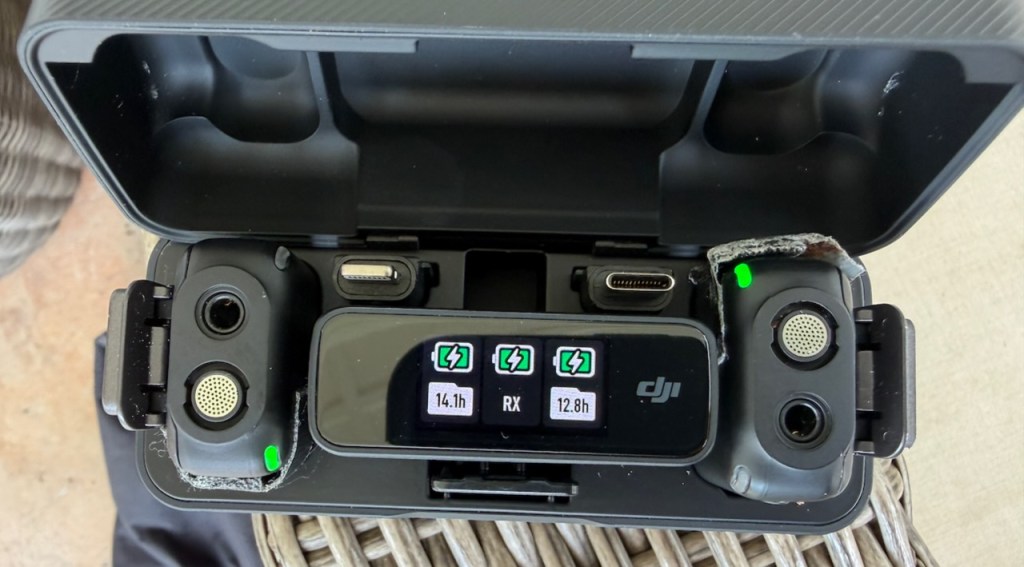
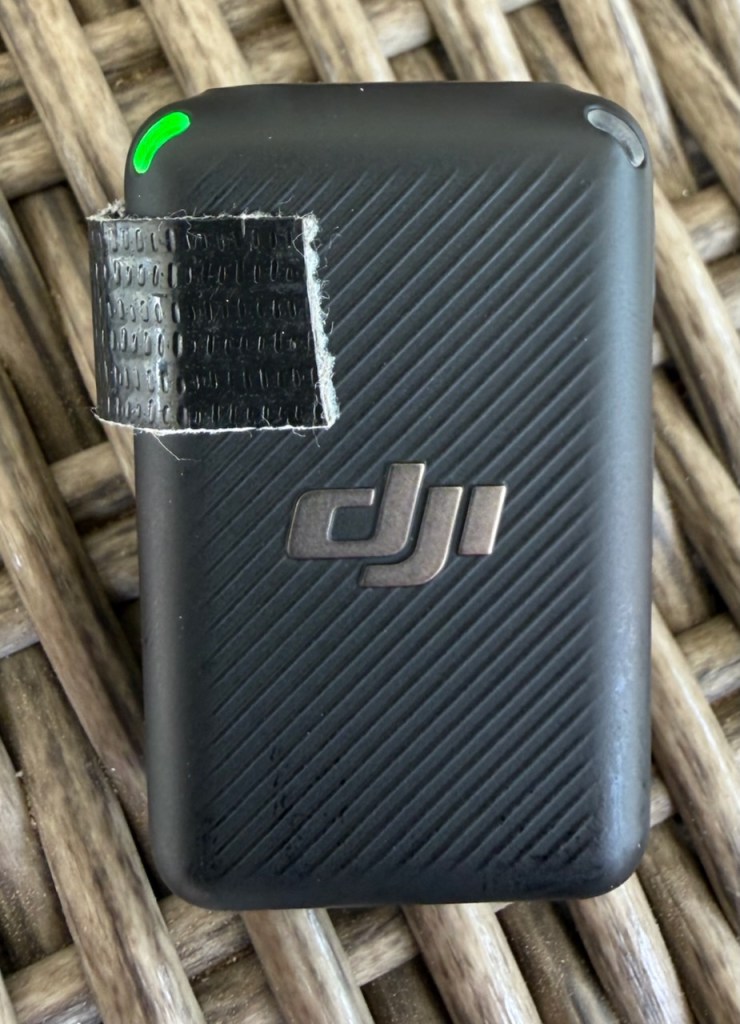
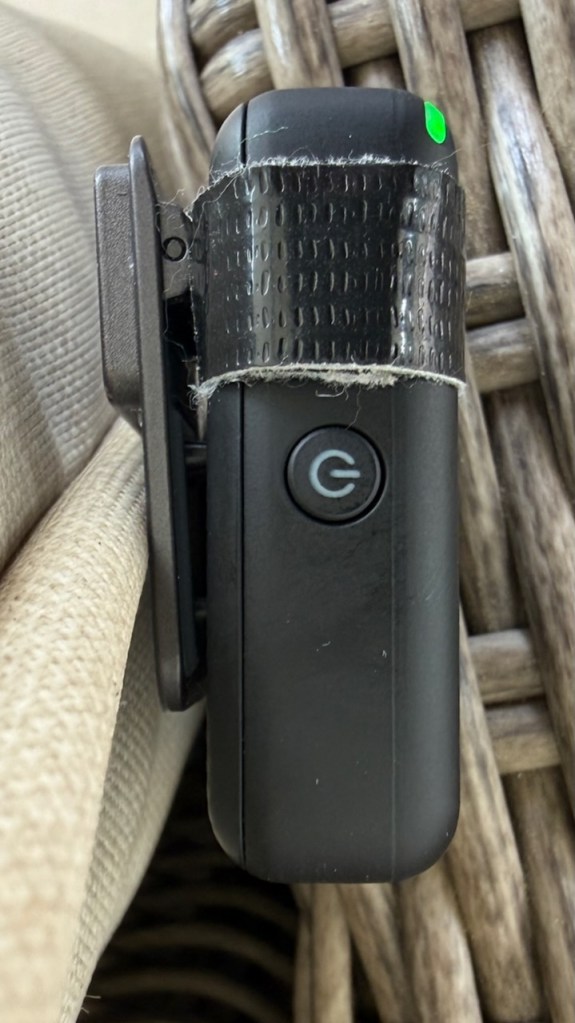
The DJI Mic system shown above works a bit like AirPods. The case charges the two Mics and the one larger transmitter.
Connect the transmitter via the OUT port as shown below, connecting the other end to the 1/4 inch port. Then, place the transmitter on top of the speaker (if the cable reaches).
The Mics are on when the LED shows green. Only one Mic should be on at a time, and it seems like both power on once the transmitter is connected to the speaker.
To toggle power on the mics, hold down the power button (beneath the raised tape bump) until you feel a vibration and the LED turns on / off.
Wait about 1.5 seconds after feeling the power on vibration to begin speaking.
No other settings should need to be adjusted on the mics.

